The PSAM modes basically hand over your cameras full potential to you, you can decide what your camera does, although it will require some learning on your part. It will improve your photography by no end and help you do exactly what you want in every situation. Your camera is most certainly clever, and might be able to seemingly predict what you want it to do; but sometimes it'll get it wrong, and when it does, being able to override it, and show the camera how it's done can help you get the image you really want. For example, do you find your snow and ice pictures are all too dark and the snow is grey? This is your cameras brain crashing and burning, knowing your PSAM will help you get crystal white snow.
Your dial will vary from camera to camera, but you most likely have a whole host of automatic options from landscape to night mode, none of which will concern this guide, as whilst they have there place, they don't really help you get the images you want all of the time. As well as this you may have a video icon on the dial.
After that you are left with a few other options which we'll go into more detail in future articles:
- Full automatic 'Green Box' mode. It will most likely be a small green box on your dial, the camera will do everything for you and give you no control over what it does.
- CA Mode (Creative Auto). This hands you a little more control, it'll let you change some of the much more complex settings such as aperture and shutter speed (we'll discuss this later) but without putting numbers on it. They'll let you make the background blurry/sharp or the picture bright/dark. This is the perfect start to manual and will break you in gently, but as you learn you'll soon realise that it still limits your capabilities as a photographer considerably.
NB: This is only available on some cameras, many cameras may not offer this function (don't worry you're not missing out on too much!).
-Program Mode (P). This is where the serious manual control begins, but the camera still controls the brightness (exposure) of the picture, so is a great start if you want to delve into more advanced controls but aren't comfortable with setting the exposure yourself yet.
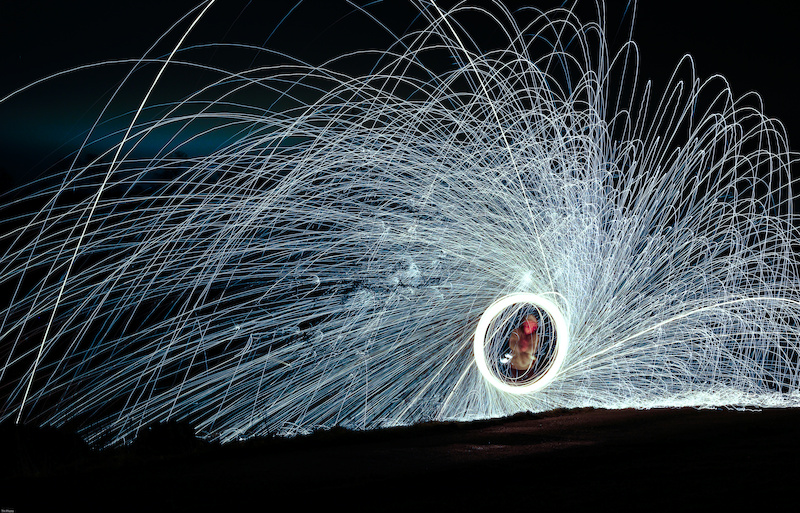
-Shutter Priority Mode (S, or Tv on Canon Cameras). This starts to hand you some manual control, you can control the shutter speed but the camera will still use its magic wizardry to keep your photo nicely exposed (the correct brightness).
This mode starts to let you get creative, a couple of photos below are examples of what Shutter Priority mode can do for you with little work!

-Aperture Priority Mode (A, or Av on Canon cameras). This lets you choose how blurry your background is, it is one of the three factors that influence the DOF (depth of field). To be discussed later, but in effect it allows you to change how blurry your background (at a very simplistic level) is and the camera will control the brightness (exposure) using the internal magic computer pixies it contains.
A couple of photos below will show you how you can control your DOF for certain effects:

From a blurry background

To a sharp background
- Full Manual Mode (M). This is where you act in place of the magical camera pixies and have to take over every aspect of the camera from the white balance, to the aperture, shutter speed, ISO sensitivity to the focus point (although you can get the camera to perform certain functions automatically-but lets not over-complicate things). This might sound like a whole lot of control, and it is, but as time goes on it'll become simpler with every photo you take to the point where you can think faster than the camera does, and have your camera settings in your head before it's even switched on, and it takes less time than you may think.
Some cameras have an A-DEP mode after these modes although it isn't important to concern yourself with those yet, if ever


No comments:
Post a Comment